Product Box
Private label retail presentation for selected devices, cartridges, applicator tools, rollers, and starter kits.

Create a brand-ready product presentation with product box, user manual, insert / tray, storage box, starter kit bundle, and protective packaging planning.
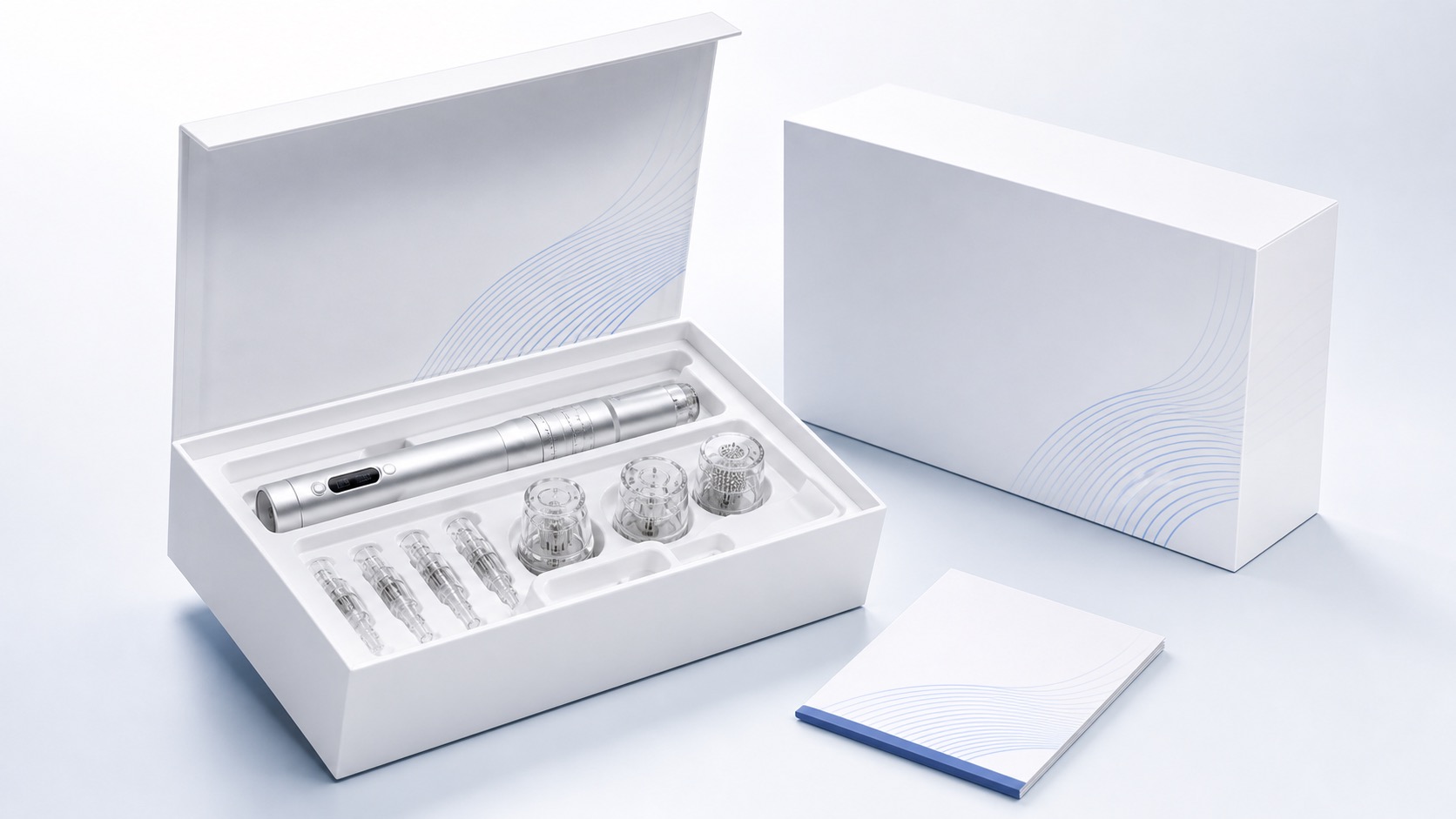
Private label retail presentation for selected devices, cartridges, applicator tools, rollers, and starter kits.
Manual and insert support can be planned according to product scope and packaging order.
Protective inner support planning for device, cartridges, heads, tools, and kit layouts.
Product combination planning for brand-ready starter kits and N in 1 packaging.
| Packaging Type | Product box / user manual / insert / tray / storage box / starter kit / N in 1 combination packaging |
|---|---|
| Customization | Logo, color, box design support, manual / insert, tray / inner support, and bundle planning |
| MOQ Logic | Packaging MOQ depends on box structure, printing method, inner support, and product combination. |
| Review Stage | Artwork confirmation and sample review before batch order |
| Documentation | Available according to selected product and project requirements |
A complete private label path shows how the kit is built, what artwork is needed, and what decisions should be confirmed before sampling.
Protective insert planning for device, cartridges, heads, and manual.
Logo, color, structure, and approved artwork coordination.
Device plus consumable combination for launch or sample programs.
Carton planning should be confirmed by order quantity and destination.
Replace these asset paths with real packaging photos before launch.
| Item | Suggested Asset | Website Use |
|---|---|---|
| Product Box | /assets/images/packaging/product-box.jpg | Private label retail presentation |
| User Manual | /assets/images/packaging/user-manual.jpg | Manual / insert support |
| Insert / Tray | /assets/images/packaging/tray-insert.jpg | Protective packaging and kit layout |
| Storage Box | /assets/images/packaging/storage-box.jpg | Device / roller / starter kit support |
| Starter Kit Bundle | /assets/images/packaging/starter-kit.jpg | Product bundle planning |
| N in 1 Combination Packaging | /assets/images/packaging/n-in-1-kit.jpg | Multi-head starter kit presentation |